

Key takeaways
Build an integrated tech stack: Use connected tools across core functions like general ledger and enterprise resource planning, tax, practice management, documents, payroll, expenses, reporting, and payments.
Prioritize native integrations: Choose software with built-in connections that sync automatically. These platforms tend to be more reliable, easier to maintain, and less prone to errors than custom or third-party solutions.
Evaluate total cost of ownership: Look beyond subscription fees to include implementation, training, maintenance, and customization when assessing true ROI.
Commit to continuous learning: Stay current with AI, blockchain, and cloud tools through ongoing education, pilot programs, and industry events to remain competitive.
Whether you’re part of a large firm, running a small practice, or just getting started as an accounting professional, the search for tools that make work easier and more efficient never really stops.
Modern accounting solutions, from AI and automation to cloud-based platforms, can help you deliver more value to your clients and manage day-to-day operations more effectively. The right tech stack can play a direct role in your practice’s success.
At the same time, many firms rely on a mix of tools that don’t consistently work well together, leading to duplicate data entry and time-consuming manual work. Poorly integrated workflows require more hands-on management, taking time away from important client work.
This guide explores the latest technologies accounting firms are using today, with insights to help you evaluate your options and choose the right tools for your practice.
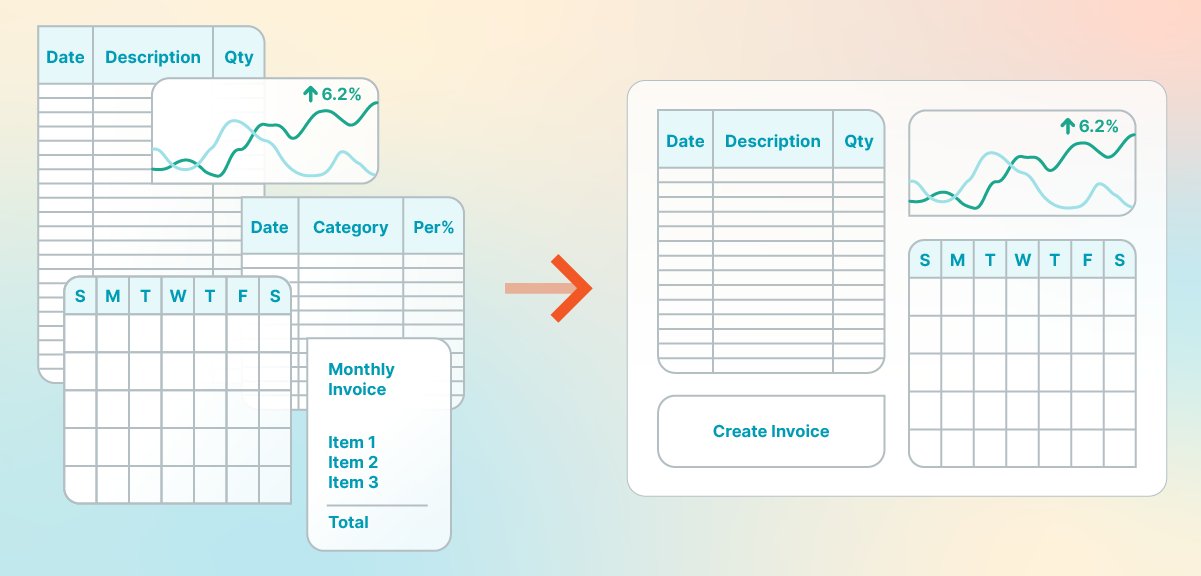
What is an accounting firm tech stack?
An accounting firm tech stack is a combination of software tools and technologies that work together to run your practice efficiently. Unlike general business tech stacks built around sales, marketing, and collaboration tools, accounting tech stacks usually include specialized software for client service, compliance, and the unique operational needs of professional services firms. . A comprehensive accounting firm tech stack typically includes software across these key categories:
GL/ERP: General ledger and enterprise resource planning systems for core financial management
AP/AR: Accounts payable and receivable automation
Payroll: Employee compensation and tax withholding management
Reporting: Financial statements, dashboards, and business intelligence
Workflow: Practice management and task automation
Document management: Secure storage, organization, and e-signatures
Payments: Client billing, invoicing, and payment collection
Security: Data protection, access controls, and compliance tools
What to consider when building your tech stack for your accounting firm
Building a robust tech stack for your accounting firm requires careful consideration of various factors to ensure the tools you choose will meet your firm's current and future needs. Here are some key aspects to consider:
Firm size
Your firm size can dictate which software best suits your firm, based on factors including:
Growth potential: Select tools that can scale with your firm's growth. As your client base and team expand, your software should be able to handle increased data volume and user demands without compromising performance.
User licenses: Consider software that offers flexible licensing options. Some tools charge per user, while others offer unlimited user plans. Ensure the licensing model aligns with your firm's size and growth projections.
Support and training: Larger firms may require more extensive support and training options. Evaluate the vendor's ability to provide these services to ensure a smooth implementation and ongoing use.
Budget
If you don't want your tech stack to cost you an arm and a leg, here's your best course of action:
Cost-effectiveness: While it's tempting to choose the latest and most feature-rich software, it's essential to balance costs with benefits. Look for solutions that provide the best value for your investment, considering both initial setup costs and ongoing subscription fees.
Return on investment (ROI): Evaluate each tool's potential ROI. Consider how much time it will save, how it will improve efficiency, and how it can contribute to revenue growth. Tools that automate labor-intensive tasks can significantly reduce operational costs.
Hidden costs: Be aware of any hidden costs, such as upgrade fees, additional user licenses, or costs for extra features. Make sure you have a clear understanding of the total cost of ownership.
Specific needs and third-party integrations
Businesses are ever-evolving, and you need to be one step ahead. Look for tech that integrates well with what your firm needs now and in the future. Consider:
Customizable solutions: Every firm has unique requirements based on its client base, service offerings, and internal processes. Choose tools that can be tailored to meet your firm's specific needs, such as specialized tax software for firms that handle complex multi-state returns.
Third-party capabilities: Look for software that supports integrations with a wide range of third-party apps. When evaluating integrations, understand the difference between native integrations (built-in connections that sync data automatically) and custom sync work (requiring application programing interface (API) development or third-party middleware). Native integrations are typically more reliable and require less maintenance.
Types of accounting firm tools
A robust accounting firm tech stack should include the following categories, each serving a distinct purpose in your daily operations.
Accounting and bookkeeping software
Modern accounting software automates routine tasks like bookkeeping, accounts payment/accounts receivable, and financial reporting. It also supports bank reconciliation, automatic data entry, multi-currency transactions, and integrations with inventory and time-tracking tools. Below are a few examples of this software.
Software examples:
QuickBooks Online is a leading cloud-based accounting platform for small- to medium-sized businesses. It automates bookkeeping, bank reconciliation, and financial reporting while offering customizable reports, inventory management, and extensive third-party integrations.
Xero is a cloud-based accounting solution with invoicing, inventory management, and project tracking. With no per-user license fees and integrations with over 1,000 apps, it’s ideal for growing businesses that need seamless connectivity across their tech stack.
Tax preparation software
Tax preparation software simplifies filing while improving accuracy and compliance. It includes automated calculations, built-in tax tables, form support, and e-filing. For accounting firms, it’s important to choose software designed for professionals rather than consumer-grade tools.
Software examples:
ProConnect Tax Online is Intuit's professional-grade tax preparation software designed for accounting firms. It offers multi-client management, firm-level workflow tools, and the ability to handle complex returns across multiple states and entities.
Drake Tax Software offers e-filing, multi-state return support, and a wide range of tax forms for both personal and business returns. Known for competitive pricing and strong customer support, it’s a popular choice among small- and mid-sized practices.
Practice management software
Practice management software helps businesses organize client data, manage workflows, automate tasks, and improve communication. It includes features like secure client portals, project scheduling, task automation, and billing tools.
Software examples:
Qount brings together time and billing, workflow management, CRM, document management, client collaboration, reporting, and AI-powered insights in one connected practice management platform for tax and accounting firms. By consolidating these functions into a single system, Qount helps firms reduce tool sprawl, improve visibility across the practice, and manage work, billing, and client activity more efficiently.
Interested in streamlining accounting firm practice management with an integrated payments solution? Explore the Qount and CPACharge integration.
TPS Software includes time tracking, billing, tax workflow automation, document management, client collaboration, and compliance calendar tools in one practice management platform built specifically for tax-focused firms. By centering its feature set around tax season demands — including deadline management, IRS alerts, and tax-specific billing codes — TPS helps firms stay compliant, reduce administrative friction, and serve clients more efficiently throughout the year
Interested in adding integrated payment processing to your tax workflows? Explore the TPS and CPACharge integration.
Client communication and collaboration software
Client communication and collaboration software ensures a frictionless client experience with features such as secure file sharing, chat functionality, online document signing, and co-editing capabilities.
Software examples:
Slack is a business communication platform that enables real-time chat, file sharing, and organized conversations. With a large app directory and features like reminders and automated workflows, Slack helps teams stay connected and productive.
Microsoft Teams is a collaboration tool integrated with Microsoft Office that supports video calls with up to 300 participants, real-time document co-editing, and secure file storage via OneDrive and SharePoint. Its integration with Microsoft Office apps makes it ideal for businesses already using the Microsoft ecosystem.
Document management and e-signature
Secure document storage and e-signature capabilities are essential for modern accounting firms. These tools help you maintain compliance, protect sensitive client information, and streamline the document collection process during engagements.
Software examples:
SmartVault is purpose-built for accounting firms with client portal functionality, automatic organization, and integrations with major tax and accounting software.
ShareFile offers enterprise-grade security with customizable workflows, large file support, and compliance features suitable for firms handling sensitive financial data.
Payroll and HR systems
Payroll and HR tools handle employee compensation, tax withholdings, benefits administration, and contractor management. For accounting firms serving clients across multiple states, these systems must handle varying tax jurisdictions and compliance requirements.
Software examples:
Gusto is popular with small businesses and offers a user-friendly platform with full-service payroll, benefits administration, and HR tools that have strong integrations to accounting software.
ADP is an enterprise-grade payroll and HR solution with robust multi-state payroll capabilities, compliance support, and scalability for growing organizations.
Expense management software
Expense and spend management tools help firms and their clients track business expenses, enforce spending policies, and streamline reimbursement workflows. When evaluating software options, prioritize platforms with mobile receipt capture tools that photograph and automatically extract data, GPS-based mileage tracking, IRS-compliant reporting, and automated per diem calculations. Also look for configurable approval workflows, built-in spending limits, and rules-based policy enforcement systems that flag out-of-policy expenses automatically. These features help reduce manual entry and ease audit and compliance burdens.
Software examples:
Expensify is popular for its SmartScan receipt capture, automatic expense categorization, and integrations with major accounting platforms.
Dext (formerly Receipt Bank) is designed for accountants and bookkeepers with automated data extraction, client collaboration features, and direct feeds to accounting software.
Reporting and business intelligence
Reporting and business intelligence tools transform raw financial data into actionable insights through dashboards, visualizations, and automated reporting packages. A standard management reporting pack should include income statements, balance sheets, cash flow statements, and industry-specific KPIs, with automated distribution ensuring consistent delivery.
Effective reporting tools should offer tracking for the metrics that matter most (gross margin, days sales outstanding), variance analysis comparing actuals to budget or prior periods, forecasting capabilities for cash flow planning, and role-based access controls that ensure stakeholders see only relevant data.
Software examples:
Fathom is purpose-built for accountants with management reporting, KPI tracking, and benchmarking capabilities that integrate directly with QBO, Xero, and other accounting platforms.
Jirav combines financial planning, budgeting, and reporting with driver-based forecasting and scenario modeling for advisory-focused firms.
Payments, billing, and invoicing software
Billing and invoicing software such as CPACharge is indispensable for accepting client payments, whether via eCheck or credit card. It offers features such as automated billing, secure payment processing, and detailed transaction records—ultimately simplifying the payment process, enhancing cash flow management, and reducing the risk of manual errors.
CPACharge provides key features designed specifically for accounting professionals:
Branded payment links: Custom payment pages that reflect your firm's professional image
Quick Bills: Send payment requests via email or text and get paid faster—most Quick Bills are paid within 7 days
Automated payment reminders: Reduce follow-up time with scheduled reminders that prompt clients to pay
Scheduled payments: Set up recurring payments for retainer clients or payment plans
The CPACharge + QuickBooks integration automatically syncs payment data, reducing duplicate data entry and simplifying reconciliation. This means less time spent matching payments to invoices and more time focused on client work.
The future of accounting technology
As technology evolves, accounting firms will have more options to choose from when building their tech stacks. Here’s a look at some emerging tools that are gaining traction:
Artificial intelligence (AI) for data analysis
AI is revolutionizing the accounting industry by automating routine tasks and providing deep insights through data analysis. AI is becoming embedded in core financial operations for companies of all sizes. One 2024 study found that 71% of organizations are using AI to some degree in their financial operations.
Rather than replacing professionals, AI is used to reduce manual workloads to support faster, more consistent analysis. Common use cases include reporting, financial planning, forecasting, data extraction, transaction categorization, document classification, and dynamic budgeting tied to live data.
Practical AI applications for accounting firms include:
Automated transaction categorization: AI learns from historical patterns to classify transactions accurately, reducing manual review time.
Anomaly detection: Machine learning models flag anomalies in large datasets to help identify potential fraud with fewer false positives.
Variance analysis: AI-powered tools automatically identify and explain significant variances between periods or against budget.
Blockchain and distributed ledger technology
Blockchain technology is emerging as a tool for transaction transparency and security in accounting, offering immutable audit trails that ensure financial data integrity, smart contracts that automate processes like invoice generation and payments, and real-time transaction verification through distributed ledgers.
However, adoption remains in its early stages, with current barriers including scalability limitations, slower performance compared to centralized systems, and a lack of standardized protocols and regulations. For most firms, the prudent approach is to monitor developments and pilot applications selectively rather than rushing to implement.
Improved cloud-based solutions
Cloud-based accounting software enables accountants to access financial data from anywhere, at any time, and cloud adoption across accounting firms has grown significantly with technology advancements in the market. These solutions enable real-time collaboration, secure data storage, and seamless integration with other business applications, making them particularly valuable in remote work environments.
Tips for staying ahead of the curve
Staying competitive in an evolving landscape requires intentional effort. Here are three practical strategies to keep your firm at the forefront of accounting technology:
1. Invest in continuous learning
Staying updated with the latest advancements in accounting technology is a must for competitive practices, with 41% of accountants wanting to dedicate more time to improving their skills. Consider regularly attending workshops, webinars, and courses on emerging technologies like AI, blockchain, and data analytics through platforms such as Coursera, edX, and LinkedIn Learning. Certifications like Certified Information Systems Auditor (CISA) and Certified Blockchain Professional (CBP) can help you stay current.
2. Explore new tools
Regularly evaluating and incorporating new technologies into your tech stack can help you maintain a competitive edge by staying informed about the latest software updates, exploring new functionalities, and adopting tools that enhance efficiency and accuracy. Consider running pilot programs with new software before firm-wide rollout. Many vendors offer free trials or sandbox environments where you can test functionality without disrupting your production systems.
3. Attend industry events
Participating in industry conferences and networking events is a valuable way to learn about emerging trends and best practices. Events such as AICPA Engage and Intuit Connect offer opportunities to connect with other professionals, share insights, and stay informed about regulatory changes and technological advancements.
Beyond large conferences, consider joining local user groups for your primary software platforms, attending vendor-specific workshops, and participating in online communities where practitioners share real-world implementation experiences.
Complete your accounting tech stack with CPACharge
Accounting software solutions can help your business stay competitive and capitalize on your expertise. CPACharge brings billing and payments into a single, connected workflow, linking invoicing, payment collection, and reconciliation with the rest of your tech stack.
Built specifically for accounting professionals, CPACharge provides a secure, convenient way to accept credit, debit, and eCheck payments online and in person. Tools like customizable payment pages, Quick Bills for easy payment requests, and secure payment method storage help streamline billing while supporting a smooth client experience.
Schedule a demo today to see how CPACharge can simplify payments and improve cash flow for your firm.
About the author

Mary Elizabeth HammondSenior Content Strategist and Blog Specialist8am
Mary Elizabeth Hammond is a Senior Content Strategist and Blog Specialist for 8am, a leading professional business solution. She covers emerging legal technology, financial wellness for law firms, the latest industry trends, and more.